


!Updated!
Introducing two-factor authentication!
What is it?
We are introducing a new two-factor authentication system to help secure your accounts!
Why did you make it?
 Improved account security!
 Extra protection against password sharing
 Cut down on account selling and buying
 Another win in the fight against bot accounts
Overall, you can expect more security measures against evil-doers and ne'er-do-wells!
How does it work?
 If you're logging into, setting up, or changing a new ATA ID, a verification code will be sent to your e-mail address. You will need to enter this code into the PIMD app to fully set up your new ATA ID! If you're using a new device or the ATA ID has been changed, you will need to enter a verification code that is sent to the ATA ID email before you can access the account again. This will prove that you're the correct owner! Once you send this verification code and enter it, that device will be remembered for the next 30 days! That means no more verification codes for 30 days!
When will it be live?
We're going to begin slowly rolling this out starting today! It will be gradually released to all players but for now, we want to take our time to make sure it functions as intended and there are no hiccups!
What if I have already verified my e-mail?
This is a different system and will be replacing email link/verification. Moving forward, ALL accounts will be logged in using a password and 2FA.
How can I set this up?
Here are the new 'New Account' and 'Log In' screens! You can enter your ATA ID and password like normal or create a new one!

Once you've put in your ATA ID and password, a verification code will be sent directly to your e-mail! When you receive that verification code, this is the screen you'll need to put it into!

Why is my verification code not working?
If you put in the wrong verification code too many times, you will need to contact our team to help!
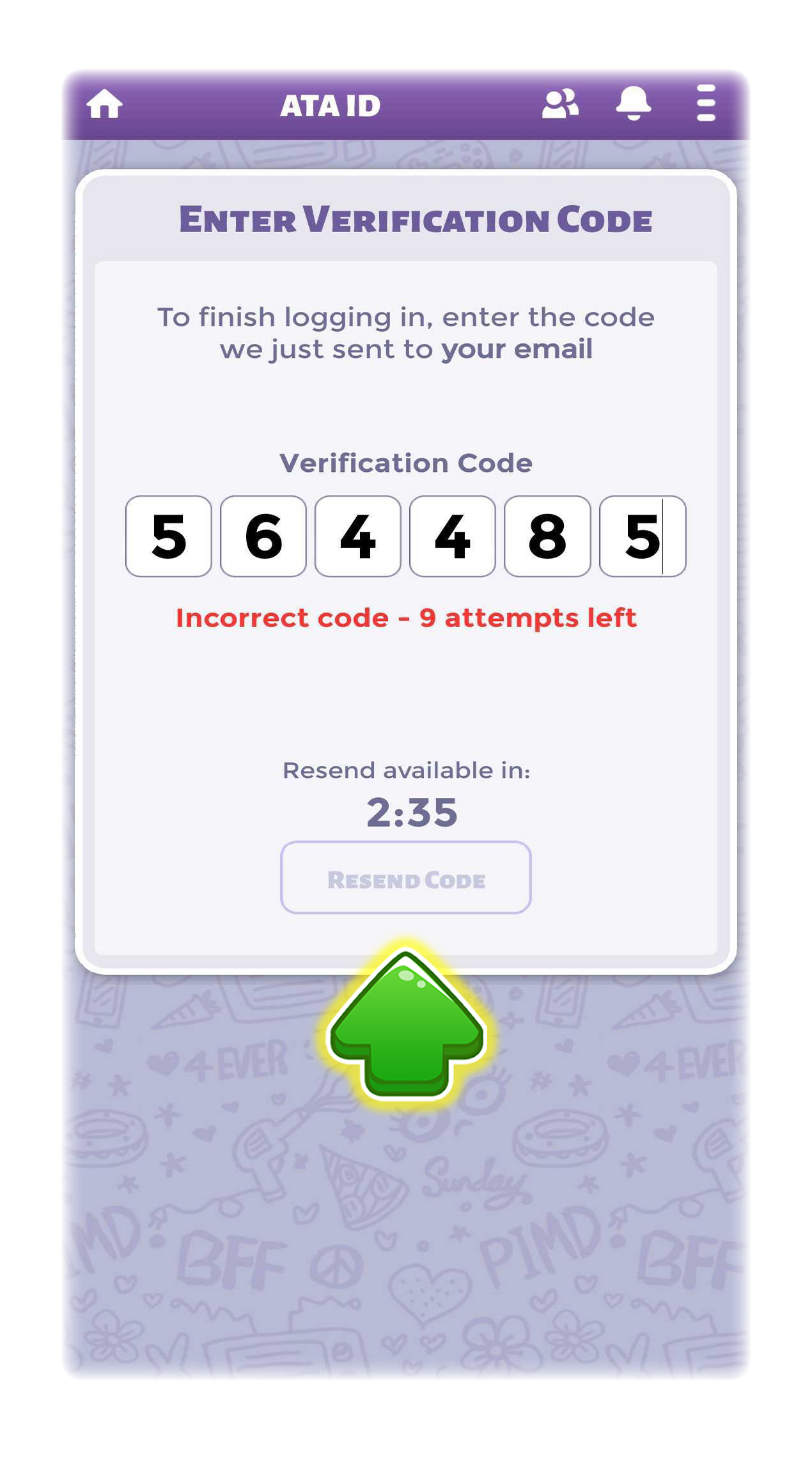
Your verification code also expires after 5 minutes so be ready for it! If the code expires, you will need to request a new one.
FAQ
Why are you doing this?
Increased security measures! Two-factor authentication provides improved account security for all of our players, and it's easy!
Why is this not showing on my account yet?
We're doing a gradual rollout to make sure there are no unwelcome bugs or issues! If you aren't seeing it yet, it should be active for you in the next few days.
You should really only be seeing this if you're creating a new account, logging back into an existing account, or setting a new ATA ID!
Note: This 2FA system will remember the device you log into for 30 days! During that time, you will not need to send a verification code if you're logging into the same device.
What do I do if I lose access to my email/I used a fake email?
Send our team a message through the Help section using the Recover Account menu option! We can help get you sorted.

I used the same email multiple times! Will this affect me?
You can use the same email 5 times!
For those of you that didn't know, most emails (Gmail most importantly) support the use of adding a '+' to your email. This creates a second email, but uses the same inbox!
Example:
community@athinkingape.com
community+account1@athinkingape.com
community+account2@athinkingape.com
All those emails are unique, but will use the same community@athinkingape.com inbox.
If you do this, these different emails can be used to verify your account with 2-factor authentication. Remember though, a max of 5!
How many times do I have to do this!?
Once every 30 days on LOGIN! Our system will remember the device that you logged in with so you won't need to send a new code every time you log in.
I put in the incorrect code and I'm locked out!?
We can help with that too! Message us through a Help ticket.
If I make changes to my ATA ID in PIMD, will this affect the one I have registered in KaW/KoH/Single City/Witch Arcana?
Yes, this will effectively change ALL of them to your new ATA ID.
I have a question that isn't covered here!
I'm sorry, okay?! Send us a message with any other questions you might have and we'll speak with you further from there!

"This new 2FA security feature is so awesome and helpful!" - The PIMD Community
Last edited by a moderator:


 hope it goes by phone number
 and the fact you can do email+account#@whatever.com 5 times and it all just goes to the same inbox it’s actually a lot easier to switch between accounts

