PiMD Forums
By -HS_Brooke-Noodles
Introduction
The Forums are one of the liveliest parts of our game. It is full of games to play, discussions to contribute to and guides to help!
Forums
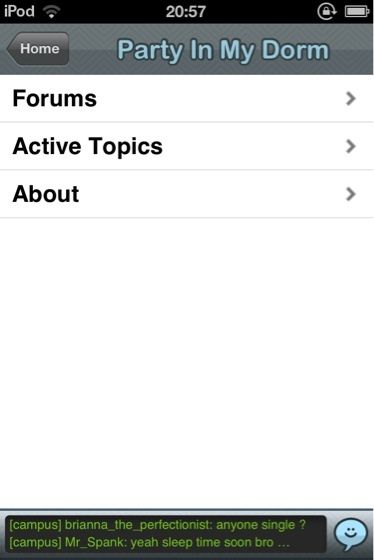
This is the homepage of the forums:
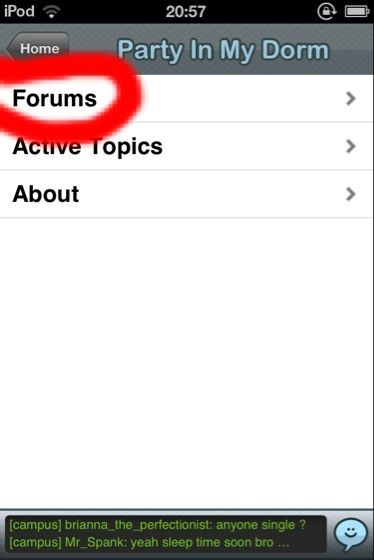
Why not tap the button that says 'Forums'?
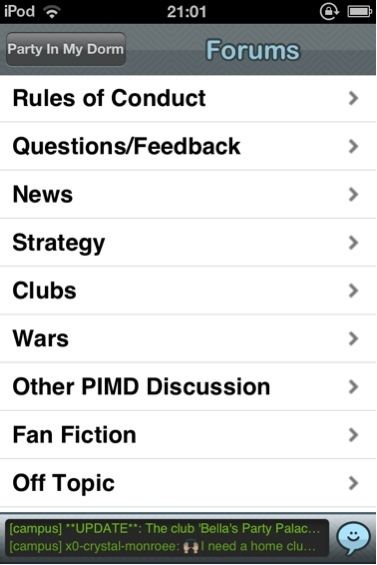
Tada! These are the different sections, or Forums, as they are technically called. Let's explore, shall we?
Rules of Conduct
Here, you'll find information about the Rules and Regulations of PiMD.
Questions/Feedback
Here, you can ask and answer any questions about the game!
News
News about the game is posted here.
Strategy
You'll find your starter guides here, along with a few others that will come in handy as your expand your dorm.
Clubs
Promote your club, or search for one to join here!
Wars
Want to join or organise a war? This is the place to be!
Other PiMD Discussion
Does your PiMD-related topic fit none of the other categories? Post here!
Fan Fiction
For writers and readers, a creative place that's always got something for you to read.
Off-Topic
Non-game related post? Come on down!
Best Of
Hand-picked by the Developers, these threads are guaranteed to have you laughing!
Forum Symbols
This symbol means a thread with a recent reply that you have not read.
This is a thread you have read, but nobody has replied yet, or you have read the reply. When they do reply, the symbol turns red, like the first symbol.
The asterisk (*) means you have posted on the thread. The red circle means there is a reply on the thread that you have not read yet.
This is a thread that you have posted on. The white means that nobody has replied, or you have read the reply.
A thread that stays at the top of all the sections of the Forums. Normally made by a Developer. There are white and red for this symbol, like it says above.
Stays at the top of the section of the Forums is was originally posted in. Made by a normal player, mostly. There are white and red for this symbol, like it says above. Referred to as a 'Stickied Thread'.
Forum language
Thread
A post.
OP
Original Poster: the person who posted the thread.
Sticky
A thread that stays at the top of one section of the Forums.
Active Topics
The section of the forums that shows the threads most recently posted, or replied to.
Posting and Replying
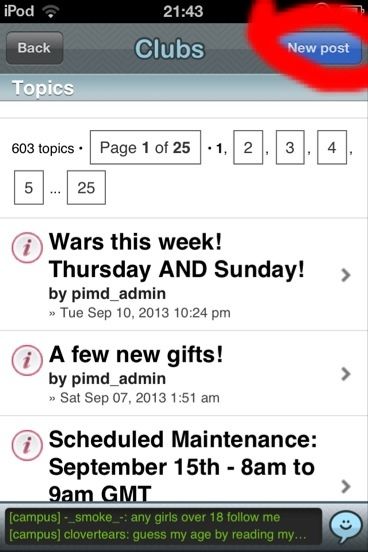
To post a thread, choose the forum section you would like, and tap the 'New Post' button.
Type in your content and title, then tap 'Post'.
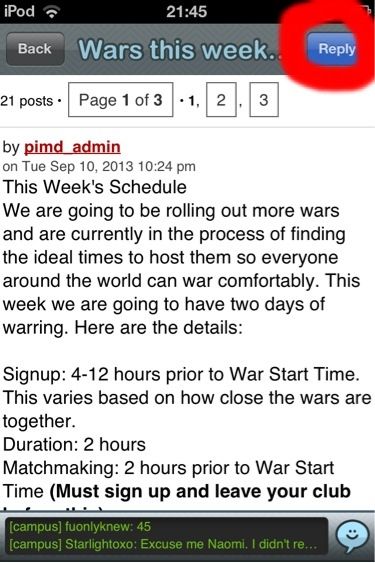
To reply to a thread, tap on the thread, and then tap 'Reply'.
Type in your content, then tap 'Post'.
I hope this guide was good enough for you all!