
BadmanBobo
New Member
Hey!
So I seem alot of people having trouble with resizing images recently, so on this thread you will see the trick i use, lets use this image as example:

It's HUGE! So to resize what I do is screenshot the image when it's uploaded to PB (Photobucket) like this:

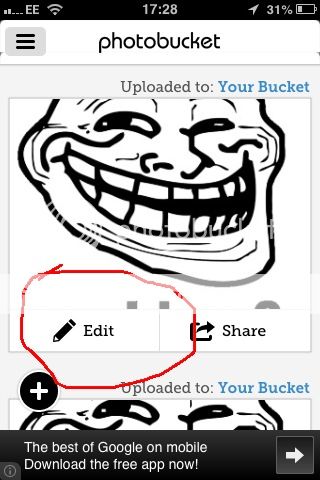
Now go to edit:
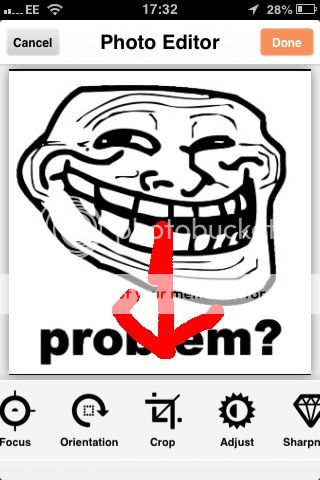
And click crop:
Crop the image down and take out the advertisements, click on the image and them
This "I" button:

Then click "IMG" and now just paste it wherever you want for example:

(sorry for errors and stuff?)
So I seem alot of people having trouble with resizing images recently, so on this thread you will see the trick i use, lets use this image as example:

It's HUGE! So to resize what I do is screenshot the image when it's uploaded to PB (Photobucket) like this:

Now go to edit:

And click crop:

Crop the image down and take out the advertisements, click on the image and them
This "I" button:

Then click "IMG" and now just paste it wherever you want for example:

(sorry for errors and stuff?)


