
SweetCandyFloss
New Member
Rock star-
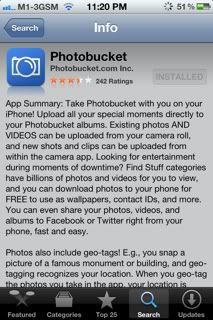
1) Download the photobucket app from app store
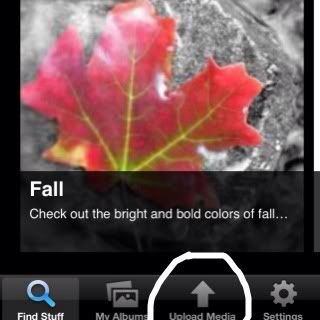
2) Go to upload media after you have download the app
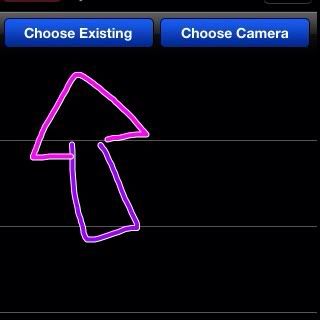
3) Choose one- Existing or camera.
Camera is taking picture with your built in camera. Existing is what you have In your pictures gallery.
4) After you've successfully uploaded your picture, click on the i button- The info button.
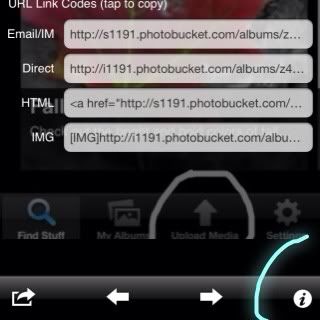
5) Click on the IMG (the IMG that writes

After you've done that, you'll receive a message saying you have successfully copied the IMG.
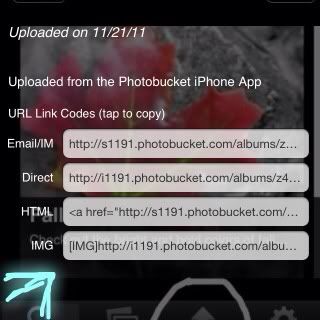
6) Paste the IMG in forums- and it'll appear as a picture!
(NOT MY BEST GUIDE)
1) Download the photobucket app from app store
2) Go to upload media after you have download the app
3) Choose one- Existing or camera.
Camera is taking picture with your built in camera. Existing is what you have In your pictures gallery.
4) After you've successfully uploaded your picture, click on the i button- The info button.
5) Click on the IMG (the IMG that writes
After you've done that, you'll receive a message saying you have successfully copied the IMG.
6) Paste the IMG in forums- and it'll appear as a picture!
(NOT MY BEST GUIDE)